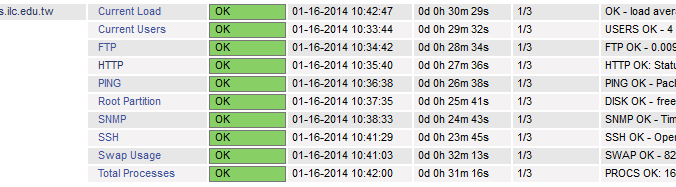
使用 Nagios 偵測主機服務狀態時,在 OK 的前面會出現一個提示圖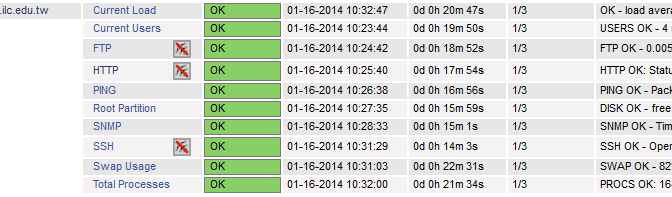
以 HTTP 服務,點選圖之後會出現的畫面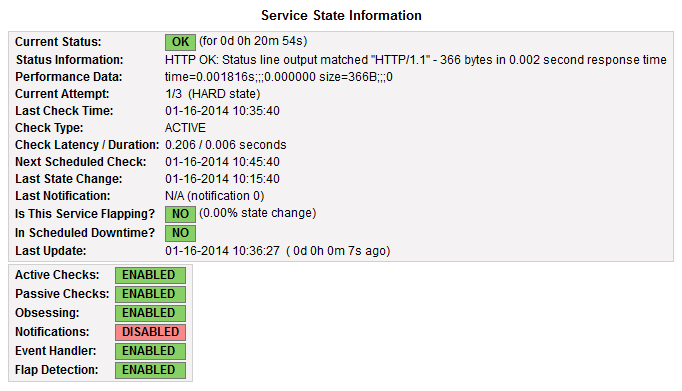
看起來似乎是沒有設定當服務出現問題時,是否要發出提示或警告的訊息,但服務還是有正常啟動,如果很在意出現這個圖的話,底下是解決的方式:[@more@]修改原有的偵測主機設定檔
把
notifications_enabled 0
都改成
notifications_enabled 1
# vim /etc/nagios/servers/www.cfg
define host {
use linux-server
host_name www.test.ilc.edu.tw
alias www.test.ilc.edu.tw
address 192.168.1.1
}
define service{
use generic-service ; Name of service template to use
host_name www.test.ilc.edu.tw
service_description SSH
check_command check_ssh
notifications_enabled 1
}
define service{
use generic-service ; Name of service template to use
host_name www.test.ilc.edu.tw
service_description HTTP
check_command check_http
notifications_enabled 1
}
define service{
use generic-service ; Name of service template to use
host_name www.test.ilc.edu.tw
service_description FTP
check_command check_ftp
notifications_enabled 1
}
重新啟動 Nagios
# service nagios restart
Running configuration check…done.
Stopping nagios: .done.
Starting nagios: done.
這時就不會再出現了!